What Is MAC Cloning and Why Do It?
Though not as well-known as IP addresses, MAC addresses are an essential part of every network-connected device. In this article, learn how to use MAC cloning to solve connectivity issues with devices on your network.
What is MAC cloning?
In order to understand MAC cloning, it's important to know what it stands for. The abbreviation MAC stands for Media Access Control and the hardware address is what the device, or Network Interface Card, is manufactured with.
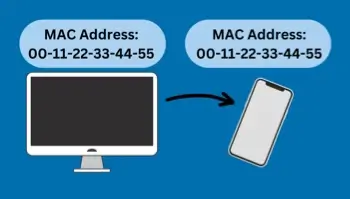
Every network-enabled device has a unique MAC address. Like an IP address, a MAC address is a unique identifier for a device. However, unlike an IP address, a device technically receives only one MAC address during its lifetime. MAC cloning is, as the name implies, the process of replicating a device’s MAC address and assigning it to another device. Though both are necessary addresses, this is just one of the differences found when comparing a MAC address vs. an IP address.
Why clone a MAC address?
MAC address cloning is most helpful in fixing network or connectivity problems. Computer or device connectivity issues happen even with the hardware and software working properly. MAC cloning can generally fix this. However, when you add a different computer or device that has its own MAC address, such as a router, connectivity issues to your ISP may arise. By simply cloning the MAC address from the previous router that the ISP has used for assigning IP addresses could resolve the connectivity issue.
Provided that it has the capability, MAC cloning is solely done at the router level. Most ISPs assign their IPs based on the MAC address in your equipment. If the MAC address of your router is 00-11-22-33-44-55 and you connect to your ISP, the DHCP server records your MAC and assigns an IP.
If you disconnect from the ISP, you lose your IP address. Therefore, the next time you connect, the DHCP server sees your MAC. It also looks to see if it has assigned an IP address to you before.
If it has assigned an IP and the lease time has not expired, it will most likely give you the same IP address you had before disconnecting. A new MAC address most likely equals a new IP address, too. Check your router manufacturer’s website to find out how to clone your MAC address. You can also find out if your router has the capability to do it at all, as the capability depends on the router itself.
Essentially, MAC cloning helps “non-approved” devices access the network. If you tell your router to clone your network card's MAC, it makes your ISP think that you're still using the same computer, network card, or device to access their services. Therefore, they allow your router on the network.
Can someone clone your MAC address?
Yes, it's possible for someone to clone your MAC. MAC spoofing is a serious issue. Some cyber attackers use this as a tactic to access a network; creating a spoofed MAC based on the address of a legitimate device recently on the network allows them to bypass security measures on the network.
Sufficient network security and device security are essential to avoid a cyber attack of this nature. To protect your MAC address, follow these tips:
- Update your device's system regularly, and keep your security programs up-to-date.
- Turn off WiFi when you're not using your device. This prevents your device from broadcasting your MAC address to the local network. MAC addresses and IP addresses both identify your device.
- Only connect to networks you trust. Free WiFi can be a danger, as these networks are not trustworthy. For the security of your MAC address, your device, and yourself, select networks you connect to wisely.